August 2026
August 28 2026
Features
- Web UI / GxP Locks: Flows, Data Tables, and Modular Analysis Apps provisioned as centrally managed GxP-validated assets now display a "GxP Validated" badge, and their edit controls (save, delete, configuration changes) are disabled to prevent accidental modification. Running, querying, and viewing remain fully available.
Bug Fixes
- Agents
- Fixed an issue where Cloud Watcher connections created in the Connections UI would default to matching every file in the bucket instead of only files for the selected Flow, resulting in unintended downloads.
- Fixed an issue where repeated configuration changes to a connection could cause files to be processed using an outdated configuration, potentially applying incorrect variables or file paths.
Gateway Version: 5.6.73
August 20 2026
Improvements
- Agents: Improved Host reliability so that a single misconfigured Cloud Watcher connection can no longer interrupt triggers from other connections that are running on the same Host.
- WebApp / UI: Font library has been refreshed to improve readability of text across all pages of the WebApp.
Bug Fixes
- Agents
- Fixed an issue where a file watcher connection could stop monitoring a folder after a network interruption or temporary loss of access, and would not automatically resume once access was restored.
- Fixed an issue where selecting the "Input bucket" option for a Cloud Watcher trigger could cause the connection to fail to start.
- Fixed an issue where multiple file watcher connections running on the same Host could interfere with each other, causing files from one connection to be silently dropped without triggering a Flow.
- Fixed an issue where connections with "Ignore hidden files" and "Ignore hidden directories" turned off in the UI would still silently ignore hidden files and directories.
- Web UI / Modular Analysis (MA): Fixed an issue where users saw an unexpected error message instead of a clear explanation of why a Modular Analysis app was unavailable to launch.
- Important Note: Moving forward, users need Runner permissions or higher to open Modular Analysis apps.
Gateway Version: 5.6.72
August 13 2026
Features
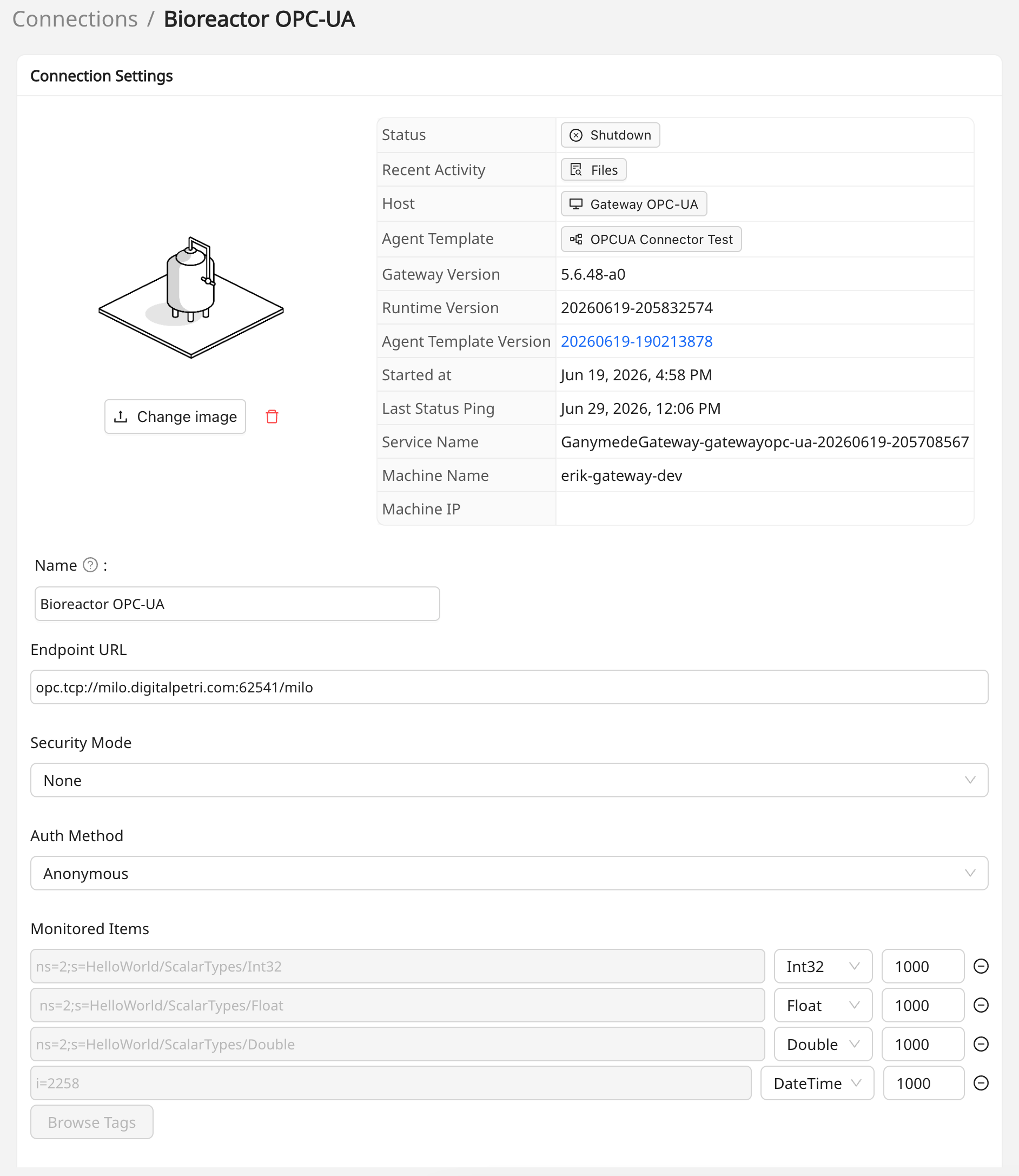
- Agents - New OPC-UA Subscription Agent Type now available!
- This week's release brings a new agent type to the Ganymede platform, specifically designed for capturing data from OPC-UA server-based systems, including bioreactors and fermentation vessels.
- No-Code Node Configuration - A built-in tag browser lets users explore the server's node hierarchy in an expandable tree, check the boxes next to the variables they want to monitor, and apply the selection — entirely from the UI.
- Once tags are selected, the agent streams live readings continuously into a data table as values change on the server, making equipment data queryable in near real time.
Gateway Version: 5.6.68
August 06 2026
Features
- File Browser: Users can now filter files by file type (e.g., CSV, PDF) in the Files page advanced search, including an option to find files with no extension.
- Dashboards: Added a new Modular Analysis App Usage Dashboard, giving each tenant visibility into weekly session activity, session duration, and usage trends across their Modular Analysis apps.
Improvements
- Web UI / Help Menu: The Help menu's "Report a bug" option is now labeled "Contact Support / Report an Issue" to better reflect that it can be used for more than bug reports.
Bug Fixes
- Dashboards / Agent Host Metrics: Fixed an issue where the "Files Seen by Connection" chart could remain blank for connections that upload files on a schedule rather than through file watching.
- Agents: Fixed an issue where saving changes in an agent processor could show an "Error committing file" message even though the commit succeeded.
Gateway Version: 5.6.66