May 2026
May 28 2026
Features
- API: Two new endpoints for managing instrument connections are now available. Connections can now be reconfigured and retired programmatically (at scale and in bulk) rather than instrument-by-instrument through the UI.
updateInstrument- add or remove connections on an existing instrument by supplyingaddConnectionIdsand/orremoveConnectionIds. Both fields are optional and follow the same add/remove pattern used elsewhere in the public API.deleteInstrument- Deletes an instrument connection by ID. Returns a 404 if the instrument does not exist, and supportsdry_runto validate the request without performing the deletion.
Improvements
- Web UI / Permissions: Users with a "Reader" role now see an explanatory tooltip when hovering over the code editor button on flow nodes and the "Edit Code" / "Edit App" buttons on MA App cards, instead of encountering an error when clicking. The tooltip directs users to reach out to an Admin to change their role if edit access is needed.
Bug Fixes
- Web UI / Modular Analysis (MA): Fixed an issue where MA Apps would be clipped at the right edge of the browser window.
- Web UI / Flow Editor: Fixed an issue where the "Add Node" sidebar would not scroll, hiding node options that extended past the viewport.
- Web UI / Data Explorer: Fixed an issue where the Preview, Query, and Flows tabs would not scroll when their content exceeded the viewport.
- Modular Analysis: Fixed an issue where Analysis Apps could not be deleted, surfacing an "Unable to Delete Analysis App" error in the UI.
- Web UI / Files: Fixed an issue where files with no recorded size appeared at the top of the File Browser when sorting by Size descending. Null-size rows now correctly sort to the bottom.
Gateway Version: 5.6.42
May 21 2026
Features
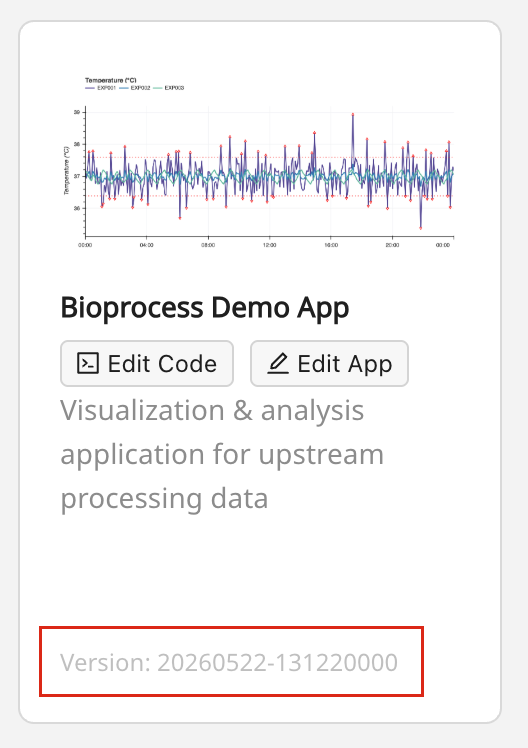
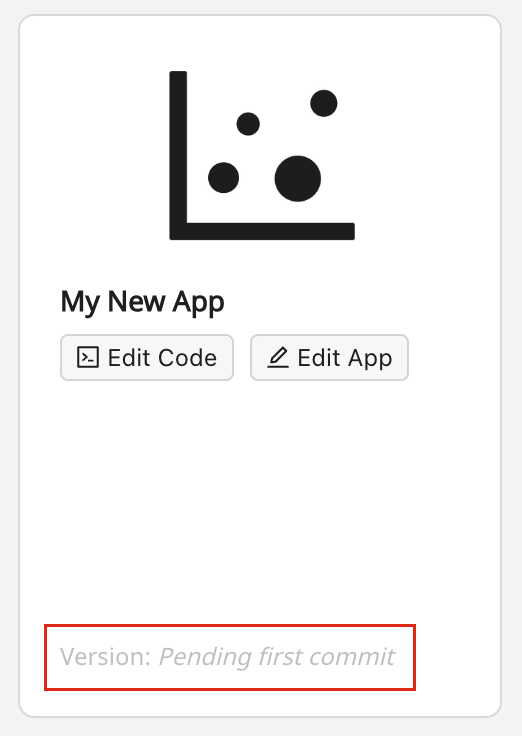
- Modular Analysis (MA): MA Application version is now displayed directly on its card within the MA Application Gallery.
- MA Application version follows the format "YYYYMMDD-HHmmssSSS", representing the last commit date time.
- Newly-created apps (no commits yet) display a "Pending first commit" indicator in place of a version number.
Gateway Version: 5.6.42
May 14 2026
Improvements
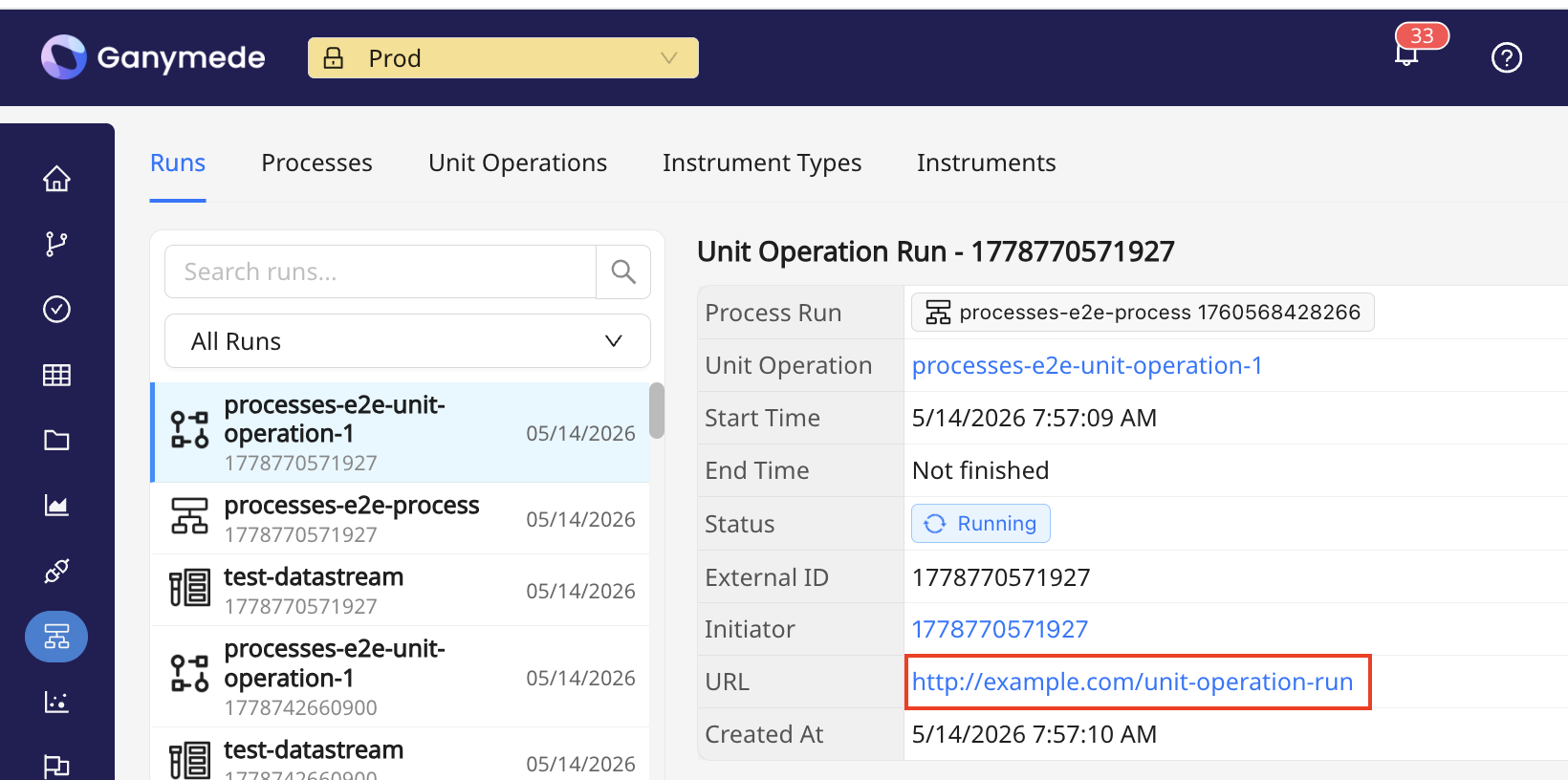
- Web UI / Runs: Run URLs on Process, Unit Operation, and Instrument run detail panels are now displayed as clickable links that open in a new tab.
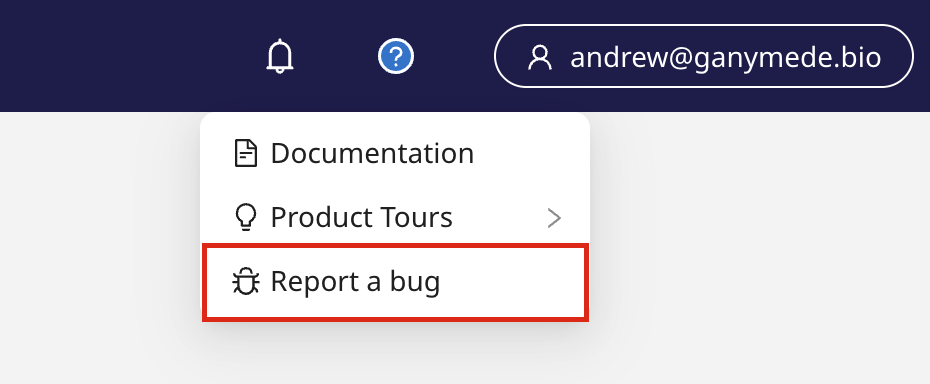
- Web UI / Help Menu: The "Report a bug" option in the help menu now links directly to a new bug submission form within the Apprentice support portal.
- Agents: Robustness improvements related to error handling and Windows service startup
- Agents now automatically detect and restart failing internal threads, and mark affected connections as "Failing" in the Ganymede UI so users have clear visibility when an issue occurs.
- Windows Agent startup is now more resilient — if the service fails to start, it will automatically retry up to 3 times with a maximum timeout of 5 minutes before requiring manual intervention.
Bug Fixes
- Agents: Fixed an issue where file watcher connections would remain "Live" in the Ganymede UI even when the configured watch directory was missing or unmounted. Connections now display as "Failing" when the directory is unavailable and automatically recover to "Live" when it is restored.
- Web UI / Files: Fixed an issue where bookmarked File Browser URLs saved before April 7 would open without their saved filters applied.
- Web UI / Data Explorer: Fixed an issue where the "Unit" field could not be populated when adding new columns to a table schema.
- Analysis Apps: Addressed an issue where Analysis Apps would throw an internal server error after a change to the App was saved
Gateway Version: 5.6.41
May 07 2026
Features
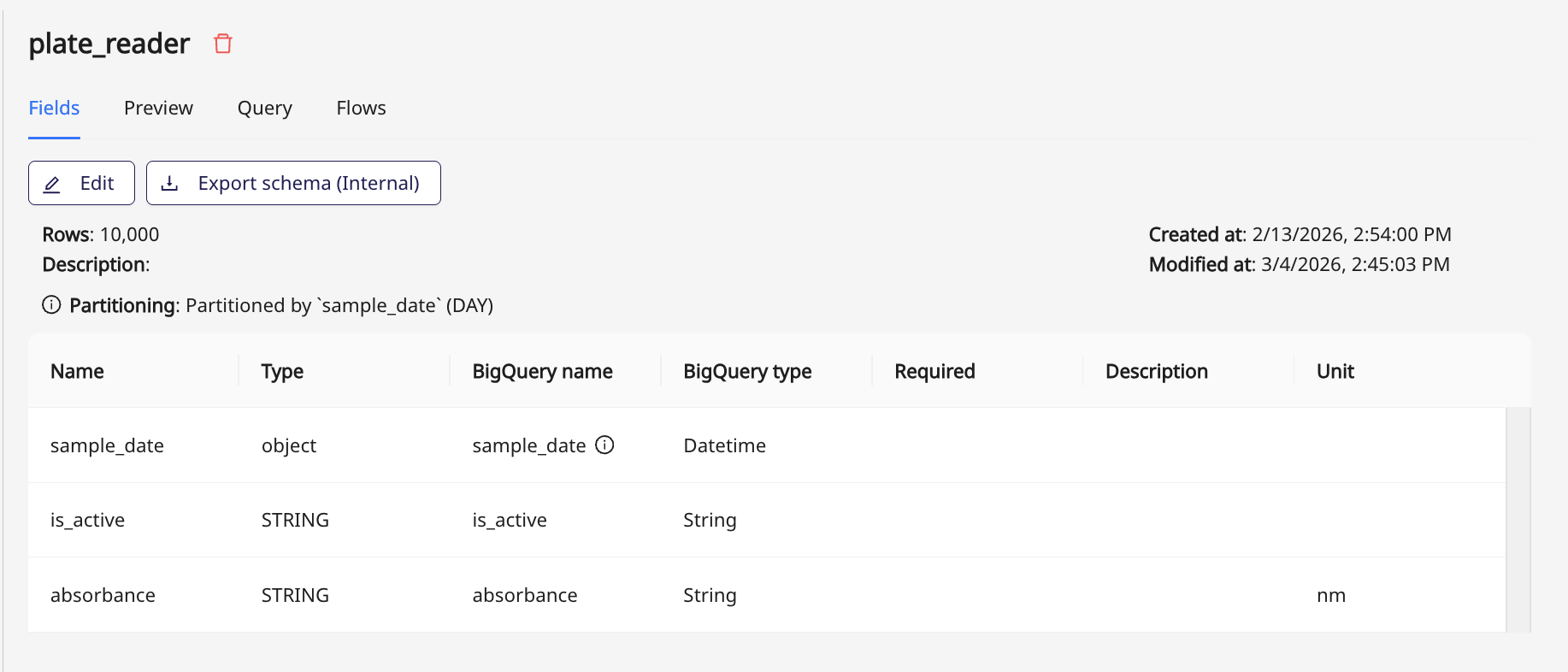
- Web UI / Data Explorer: Unit labels now visible in table schemas
- Tables within the Data Explorer now surface a read-only "Unit" column in the schema viewer, which displays the unit assigned to each field. Fields without an explicit unit will show a blank cell.
- In the "Preview" tab, column headers will display the unit alongside the field name. For example, a column named "concentration" with unit "mg/mL" will appear as "concentration (mg/mL)".
Improvements
- Web UI / Files: A number of small improvements (table refresh, filter behavior) have been added to the Files page and File Browser modal.
Gateway Version: 5.6.37