April 2026
April 30 2026
Features
- Virtualization: Launch new virtualization sessions from existing input files
- A new icon on each row of the Sessions table allows users to start a new virtualization session using the same input files from any previous session. Click the icon, select the application from the dropdown menu, and the new session is launched in a new browser window. The icon is hidden for sessions with no input files.
- Events: Added the ability to disable writing event-initiated files to the Files table
- A new per-environment toggle on the Environment Settings page allows system admins to disable writing event file payloads to the Files table.
- When enabled, this setting applies to all future Events - existing files in storage are unaffected.
Improvements
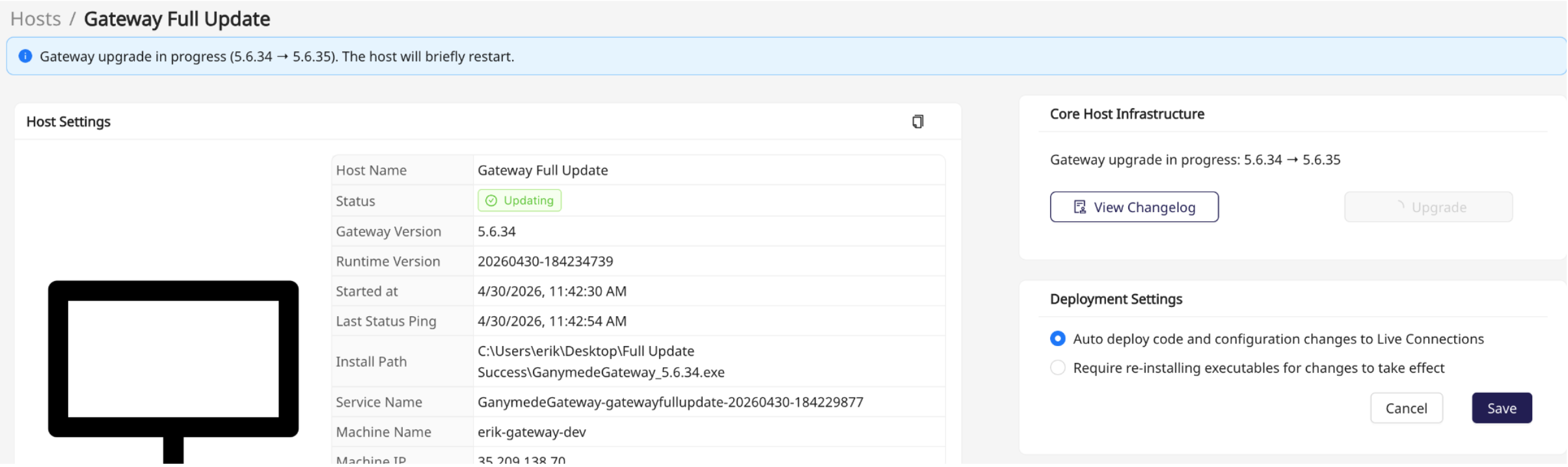
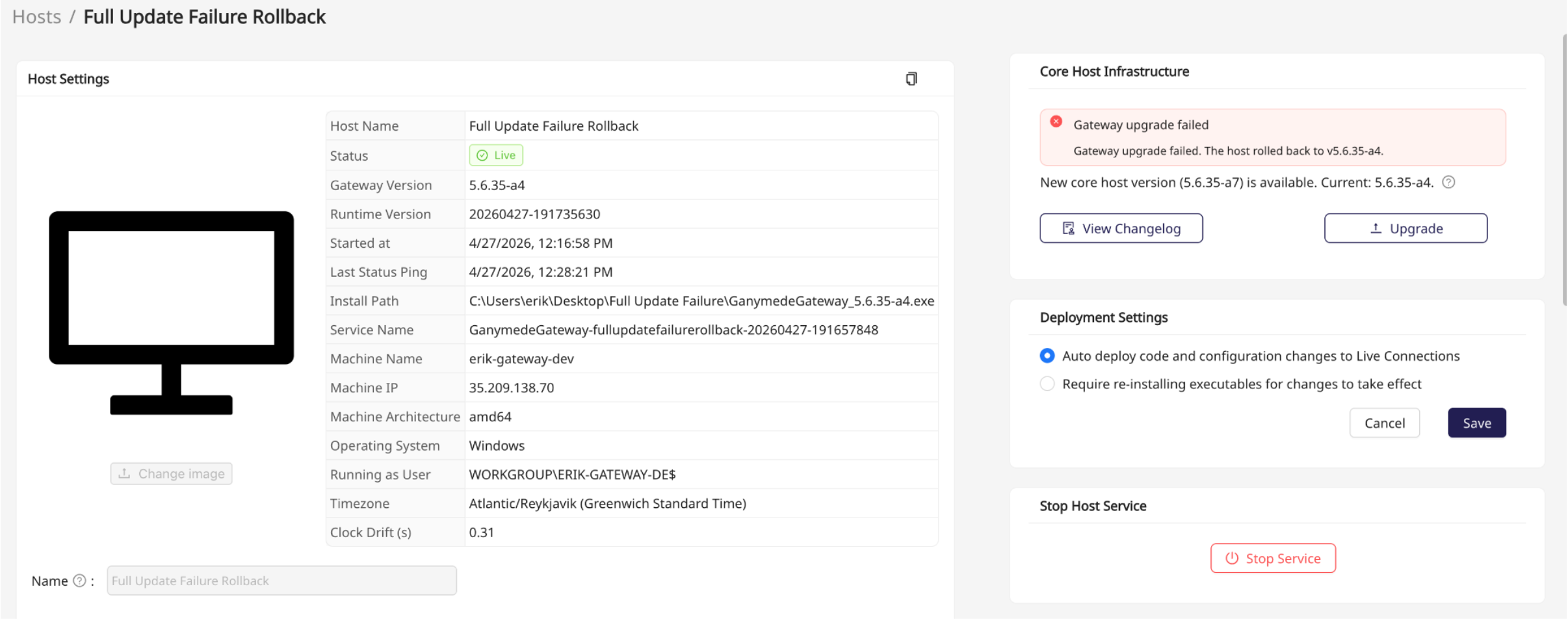
- Web UI / Connections: Improved reliability and visibility of gateway update status
- The Hosts page now reflects gateway update progress in real time — hosts transition to Updating status immediately when an upgrade is triggered.
- If a gateway fails to upgrade and rolls back, an error banner is displayed showing the version the host rolled back to, with an Upgrade button available to retry.
Bug Fixes
- Web UI / Connections: Fixed a display issue where long connection or host names were clipped in the connections table — the table now scrolls horizontally when content exceeds the panel width.
Gateway Version: 5.6.35
April 23 2026
Features
- Agents: Windows and Linux agents now have the ability to be installed without administrator privileges.
- This feature provides an additional level of flexibility for agent deployment to accommodate organizations with IT policies that restrict admin access on end-user machines.
- When installing an agent, the wizard now allows users to select between admin and non-admin installation via a selection page, with clear privilege-focused labels.
- Agents installed as non-admin have a few key functional differences from agents installed as admin:
- Admin Install:
- Process Type: Windows Service
- Auto-Start: Yes
- Auto-Update: Yes
- Non-Admin Install:
- Process: Plain Process
- Auto-Start: No
- Auto-Update: No
- Admin Install:
Improvements
- Web UI / File Browser: A number of performance improvements have been added to the File Browser. These improvements significantly increase the performance across the page, especially for tenants with high file volume. This includes decreased refresh latency for the files table and more performant search and filter.
- Note: Ability to filter files by virtualization session is no longer supported with this release.
- Web UI / General: Page scroll behavior has been redesigned across the web app, improving consistency across the various page layouts in the UI.
- Web UI / Notifications: The Notifications table now displays a connection name within the Source column if relevant for the notification type.
Bug Fixes
- Agents: Fixed an issue where File Watcher agents would fail to apply connection-level metadata tags to uploaded files.
Gateway Version: 5.6.33
April 16 2026
Bug Fixes
- Web UI - Flows: Fixed an issue where switching between Flows within the Flow Editor page would cause the node layout to break, making it difficult to see/edit individual nodes of the Flow within the UI.
Gateway Version: 5.6.30
April 9 2026
Improvements
- Flows: A number of performance improvements have been added to Flow Runs that use API keys to call the Ganymede public API. These improvements increase the resilience of Flow Runs at high volumes.
Bug Fixes
- Web UI / Modular Analysis Applications: Earlier in the week, we fixed an issue where Modular Analysis Applications were not rendering properly within the UI, causing them to be unusable. The impact of this bug was confined strictly to the display of the application in the web UI - all underlying application code, data, and configuration was unaffected. The fix has been thoroughly tested and confirmed stable.
Gateway Version: 5.6.30
April 2 2026
Features
- Agents: Added support to allow agents to capture both timezone information & clock drift from host PCs.
- The amount of clock drift and timezone are now captured and stored alongside host inferred data, making timing discrepancies observable and correctable
Improvements
- Agents: Fixed an issue where some Gateway Agent EXEs were consuming more memory than expected, leading to performance degradation over time
- Web UI: Bulk metadata tag update - users with "Writer" environment permissions now have the ability to update file metadata tags in bulk through the UI
Bug Fixes
- Web UI: Fixed an issue with page scroll behavior on the Data Explorer and Modular Analysis pages
Gateway Version: 5.6.29